Tag products and collections
Product & collection tagging is available in our Pro and Plus plans.
This article walks you though the steps to manually tag products & collections in the Instafeed - Instagram Feed app, creating shoppable feeds.
Step 1 - Open Manage posts
In your Shopify admin, go to Apps > Instafeed.
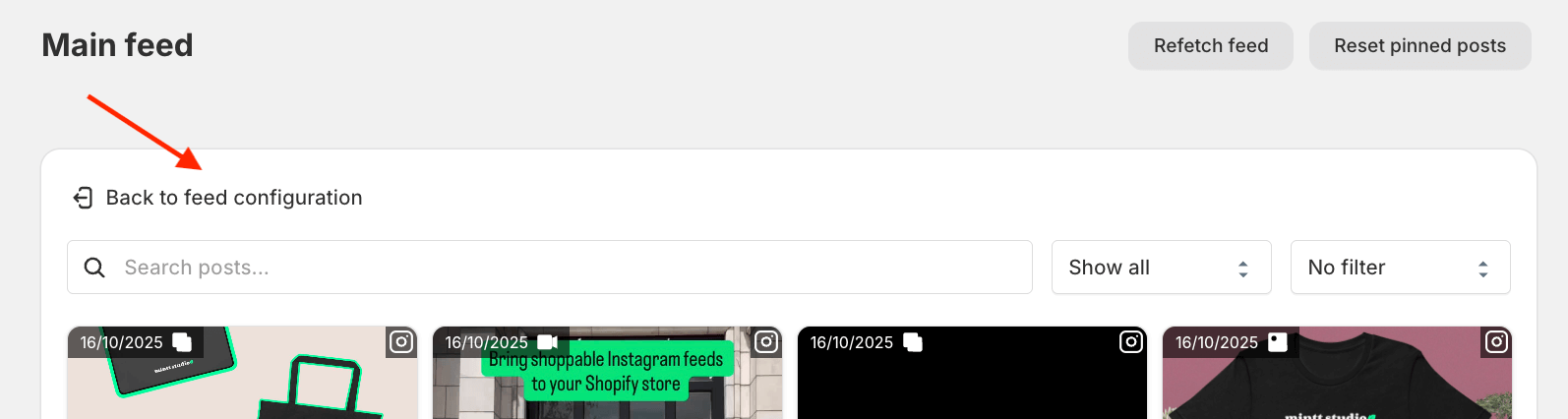
Under Preview, click Manage posts.

Step 2 - Open the tag view
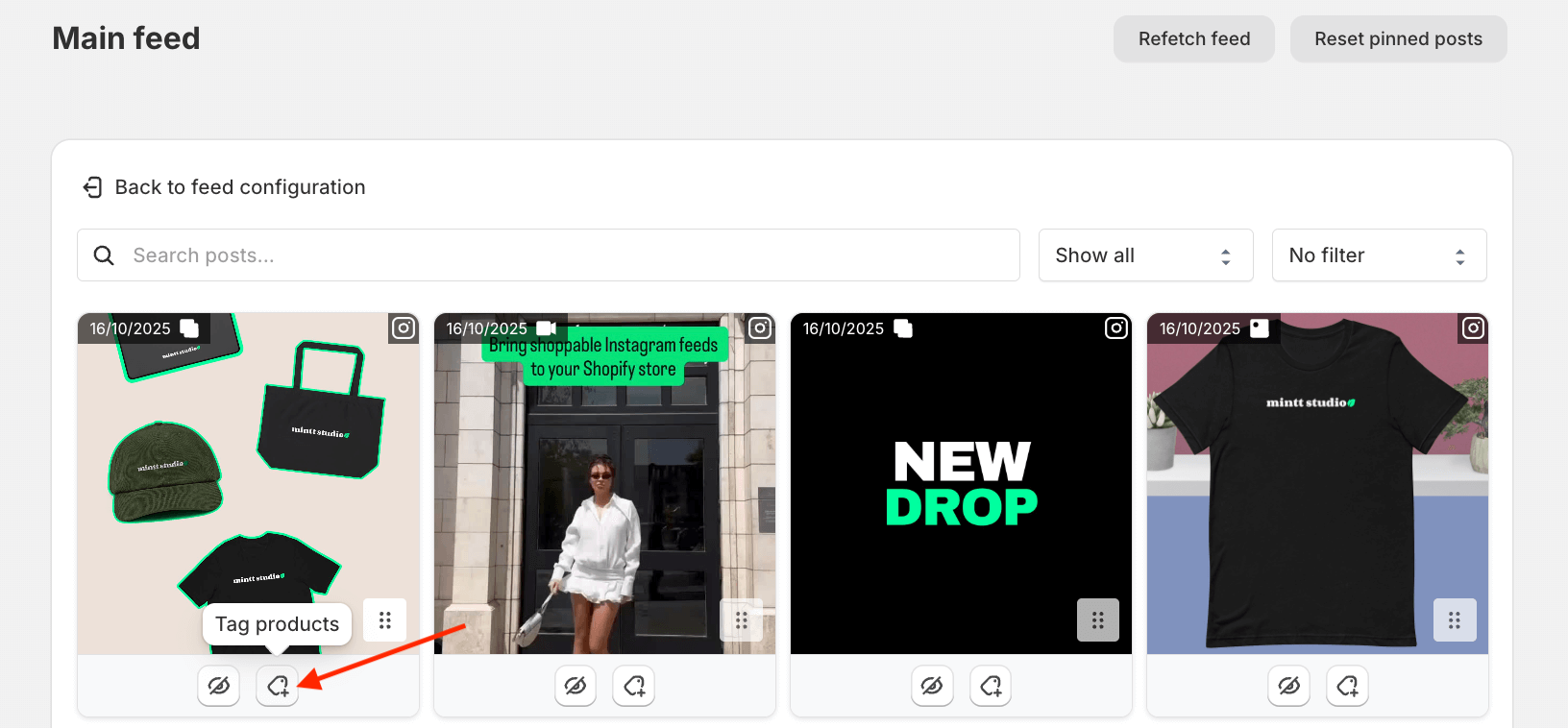
For each post you want to tag, click the Tag button to open the tag pop-up.
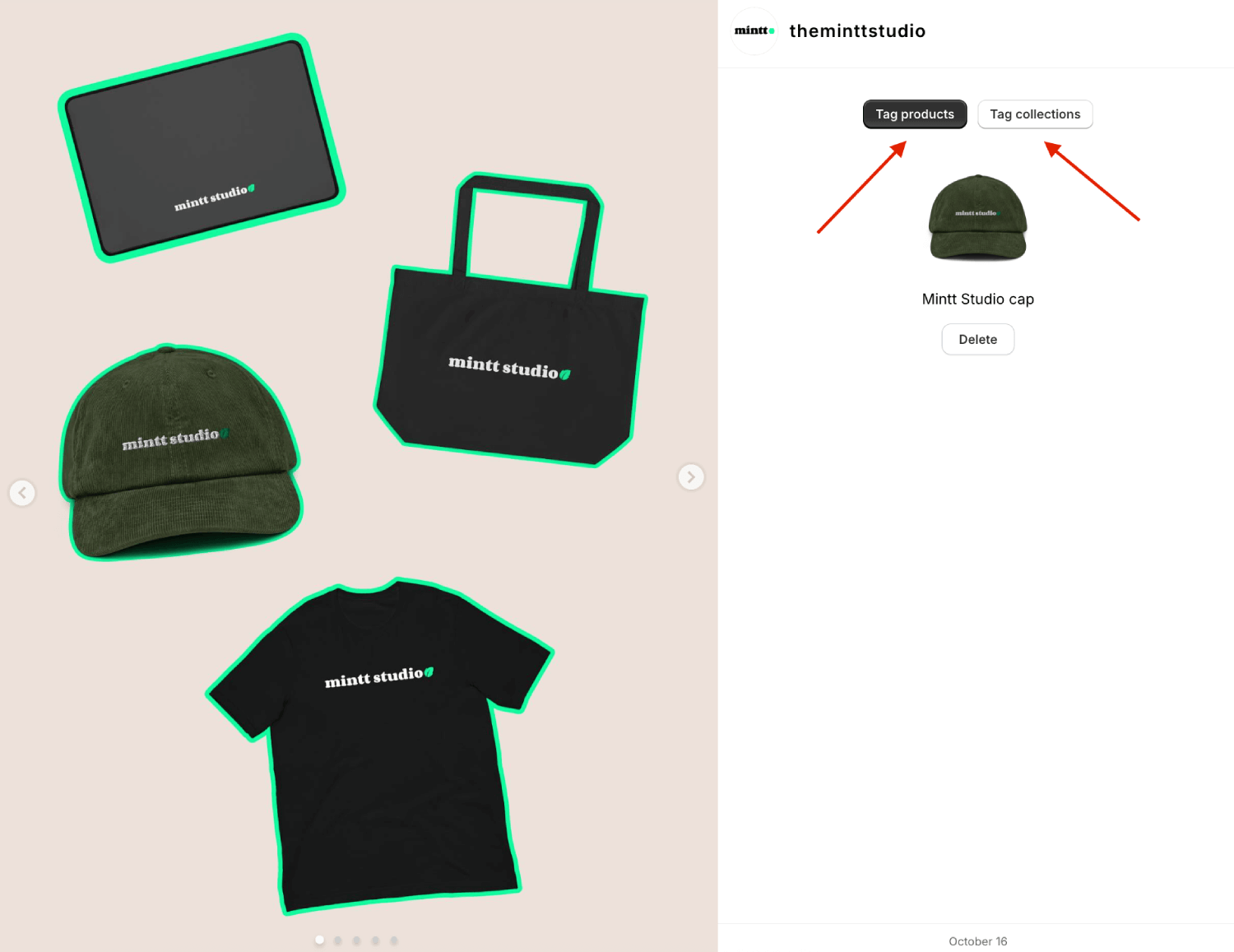
Step 3 - Tag products & collections
Click Tag products to tag products, or Tag collections to tag collections.
Choose the products and/or collections you want to tag, then click Select.
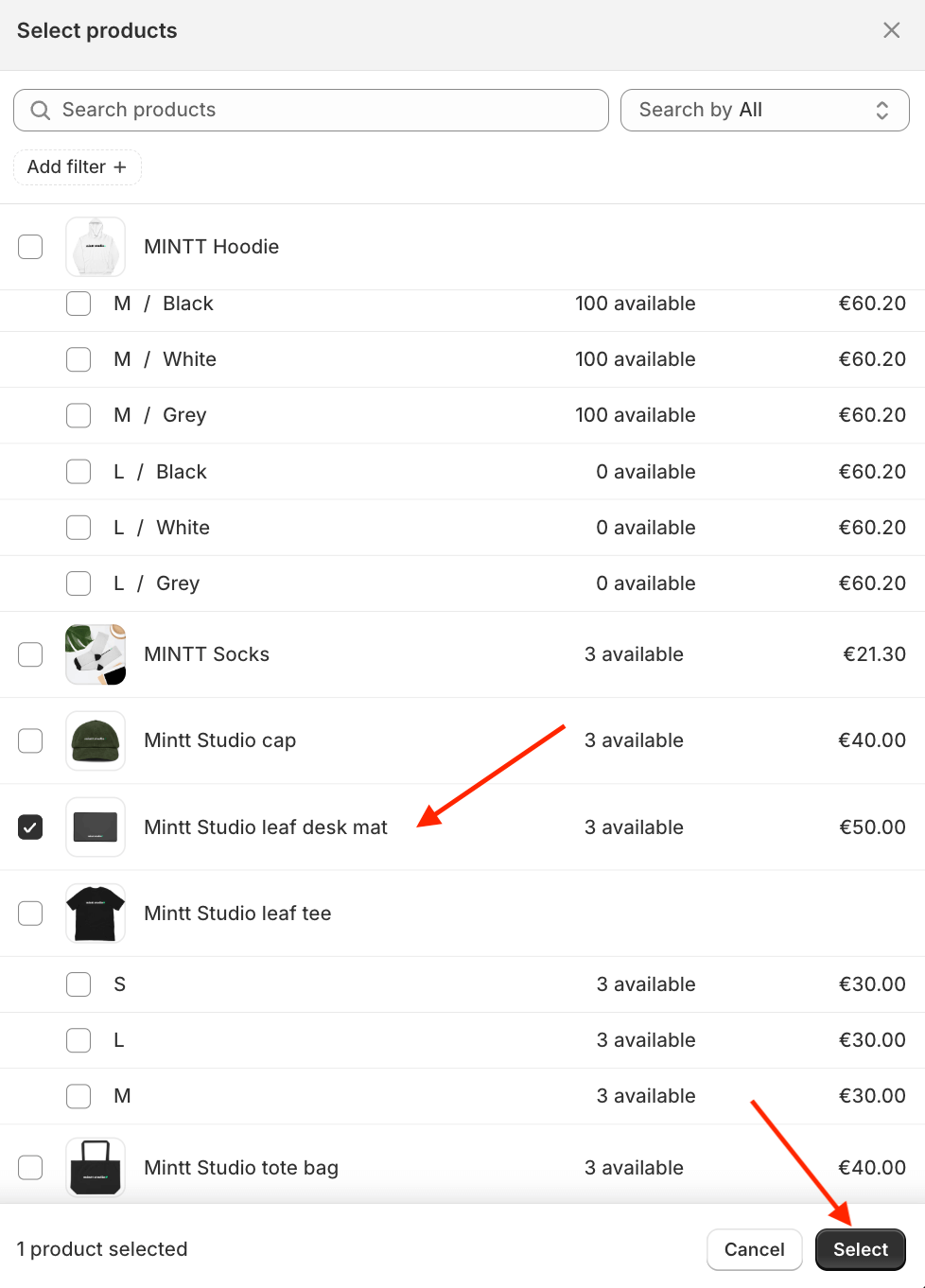
Repeat this process for each post you want to make shoppable.
Step 4 - Return to feed configuration page
When you're finished, click Back to feed configuration to return to the Instafeed configuration page.